
This week got away from me a little bit, in a good way. There's a lot to cover so I'll try to keep each piece short.
Photos
Last update I said the new photo experience would get its own post, so that's where I'll start.
Adding a Photo
The "Add Photo" tile now sits at the end of the photo grid and tells you how many of your 10 slots are used. Picking a photo opens a crop window where you can drag the box around, pick an aspect ratio (Free, 1:1, 4:3, 3:4 or 16:9) and rotate the photo if your phone got the orientation wrong.
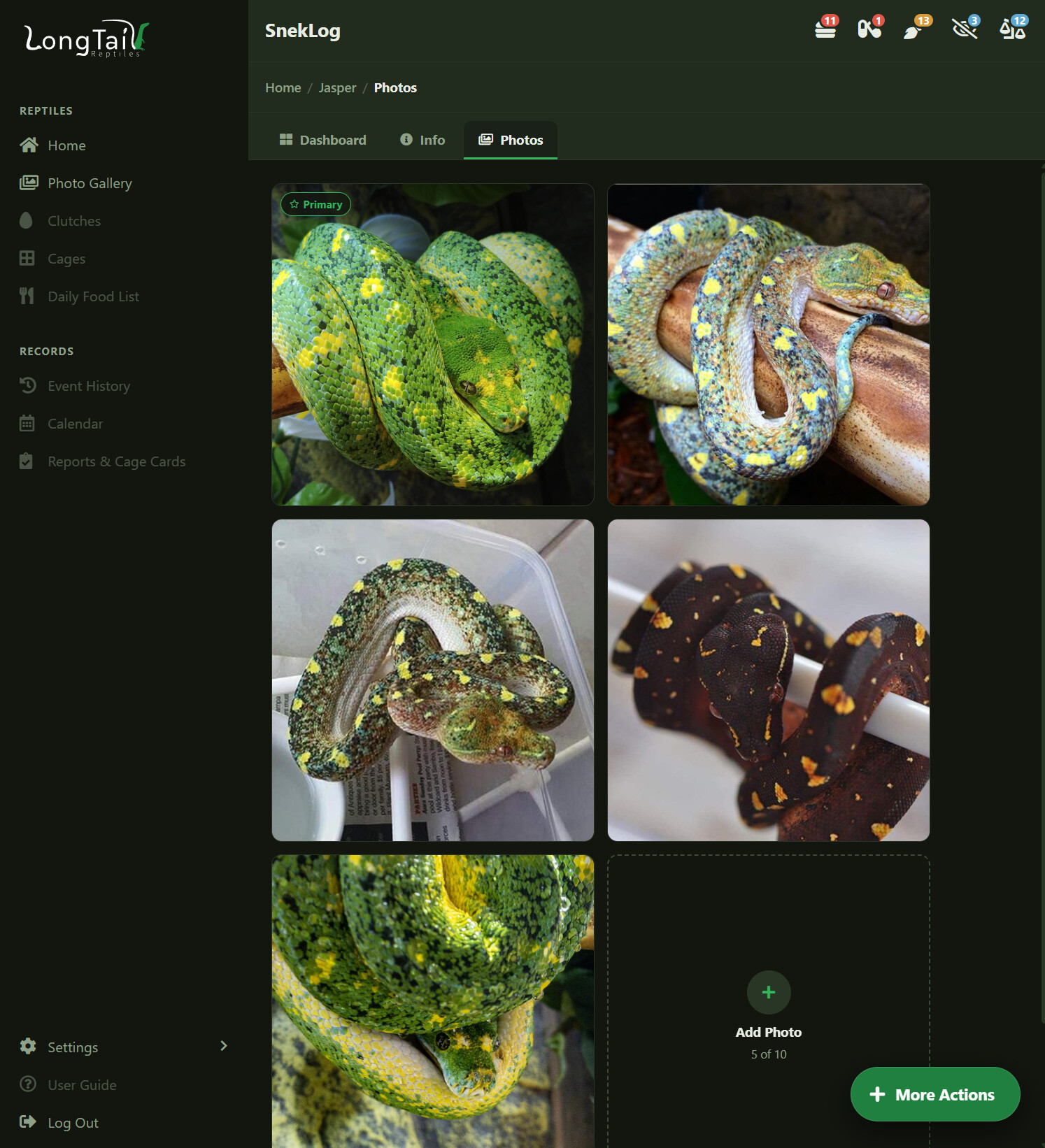
The big change here is that all of that happens on your device. The old app uploaded the full-size original and then made the server do the cropping and resizing, which is a big part of why adding photos always felt slow. Now your phone or computer does the work and only the finished photo gets sent up.
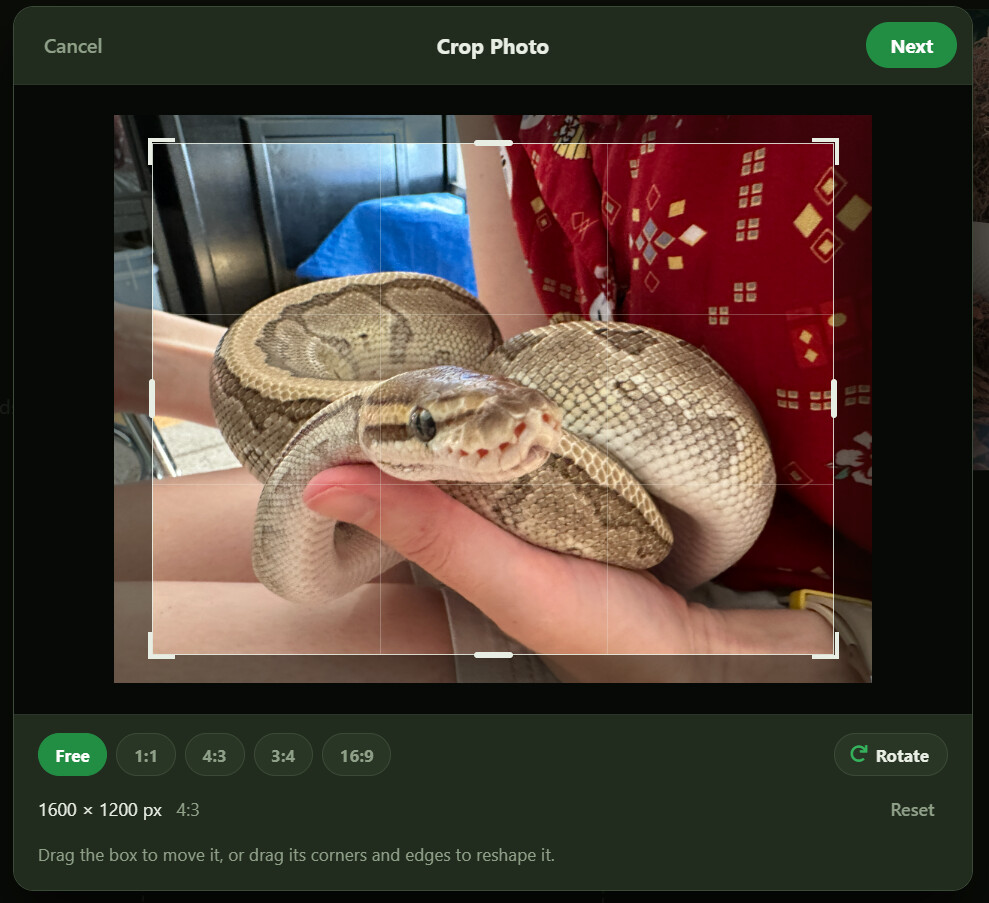
The details step fills the date in from the photo itself, so a picture you took in March of 2018 gets logged in March of 2018 instead of today. You can change it, and there's a caption box as well.
Deleting a Photo
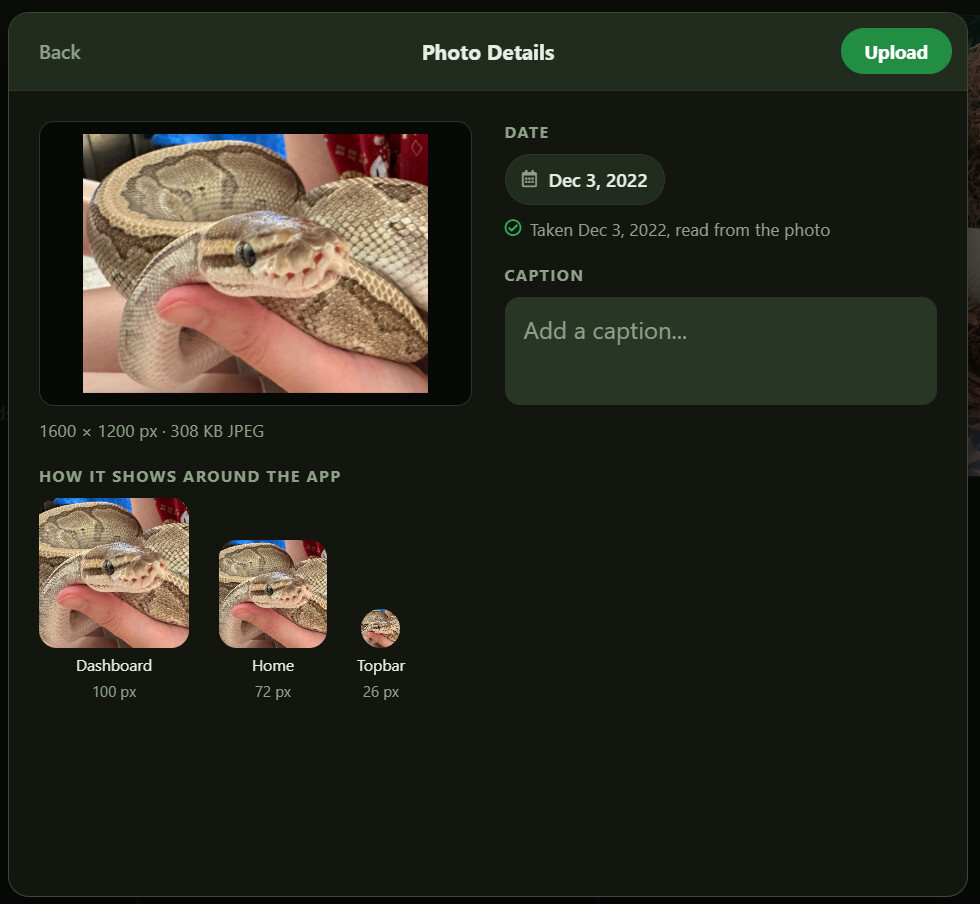
Deleting a photo lives in the "..." menu in the photo viewer, behind a confirmation. In the old app you couldn't delete a primary photo at all, which meant some of you ended up stuck with a photo you couldn't get rid of. Now you can, and the next newest photo is promoted to primary automatically. If it was the last one, the animal goes back to the default placeholder.
Photo Gallery
This is brand new. There's now a Photo Gallery that shows photos across your whole collection instead of one animal at a time, grouped by reptile.
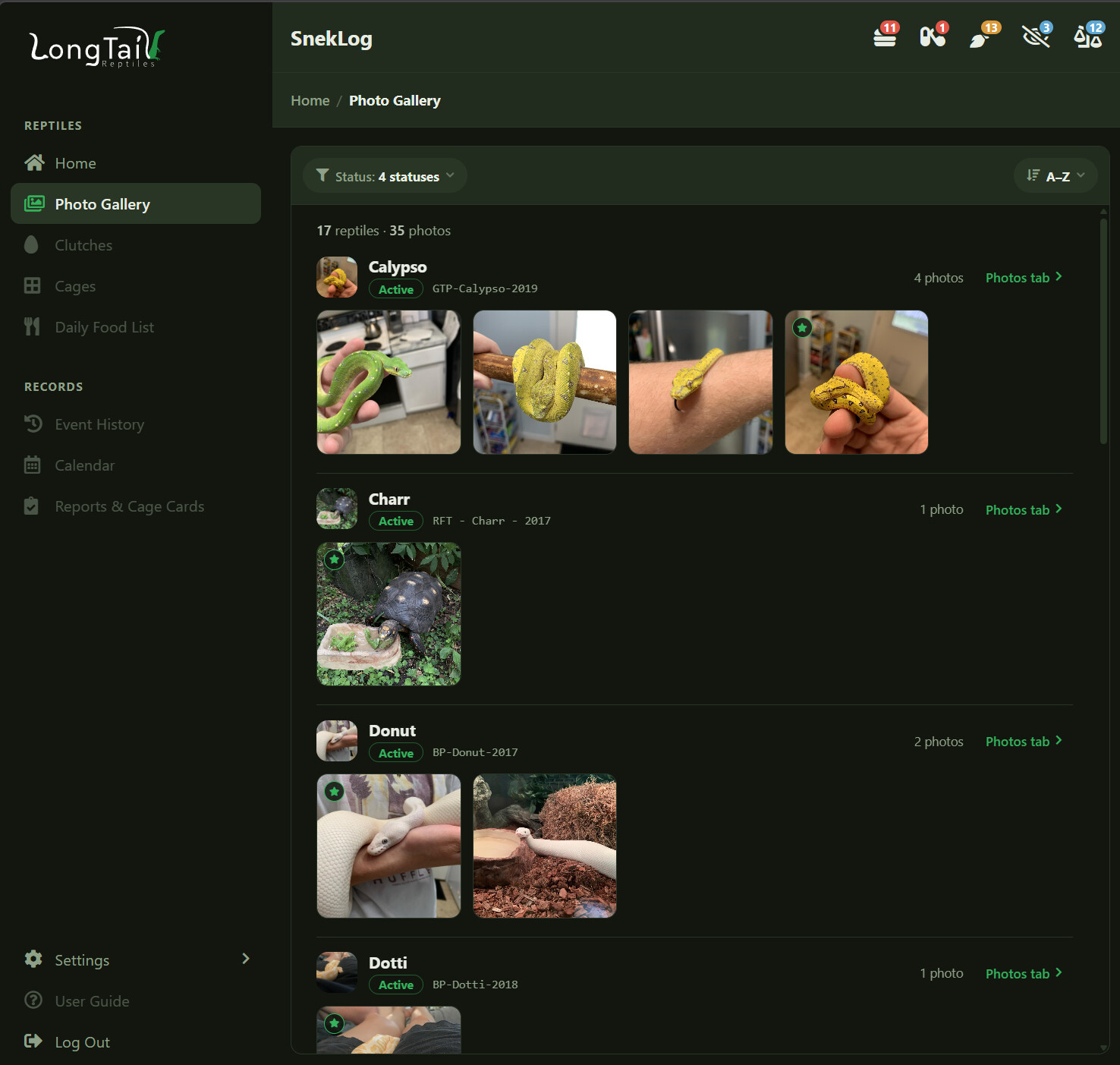
The filter at the top lets you pick which statuses to show, with a count next to each one, or search for a single animal. You can sort A-Z or by newest photo, and it loads more as you scroll rather than trying to throw thousands of photos at your browser at once. Clicking any photo opens the same viewer you get from a reptile's Photos tab, with Edit Details, Make Primary and Delete all available.
Adding, Updating and Cloning Reptiles
The reptile form was the single biggest thing on my list for the week. The old one was around 50 fields on one very long page. The new one is six sections, each opening in a panel that slides in from the side:
- Basics
- Housing
- Feeding
- Shedding & Reminders
- About the Animal
- Origin & Lineage
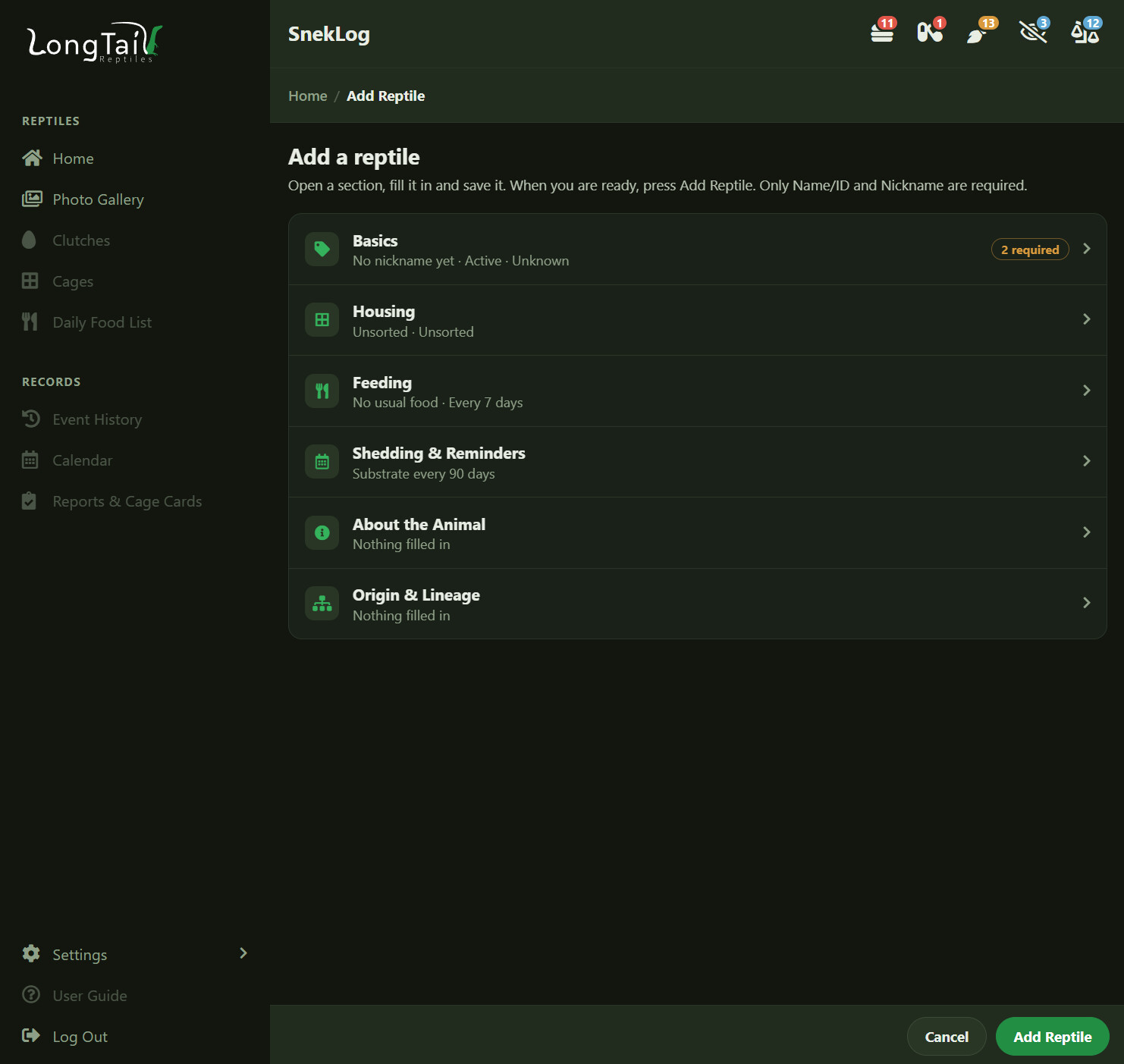
This page went under a lot of refinement and changes as I rebuilt it. One of the biggest changes is that when editing a reptile, the form saves automatically when editing each section. So when you're updating an animal each section saves on its own and you stay where you are. When you're adding a new one nothing is created until you press "Add Reptile", so there's no half-made animal sitting in your collection.
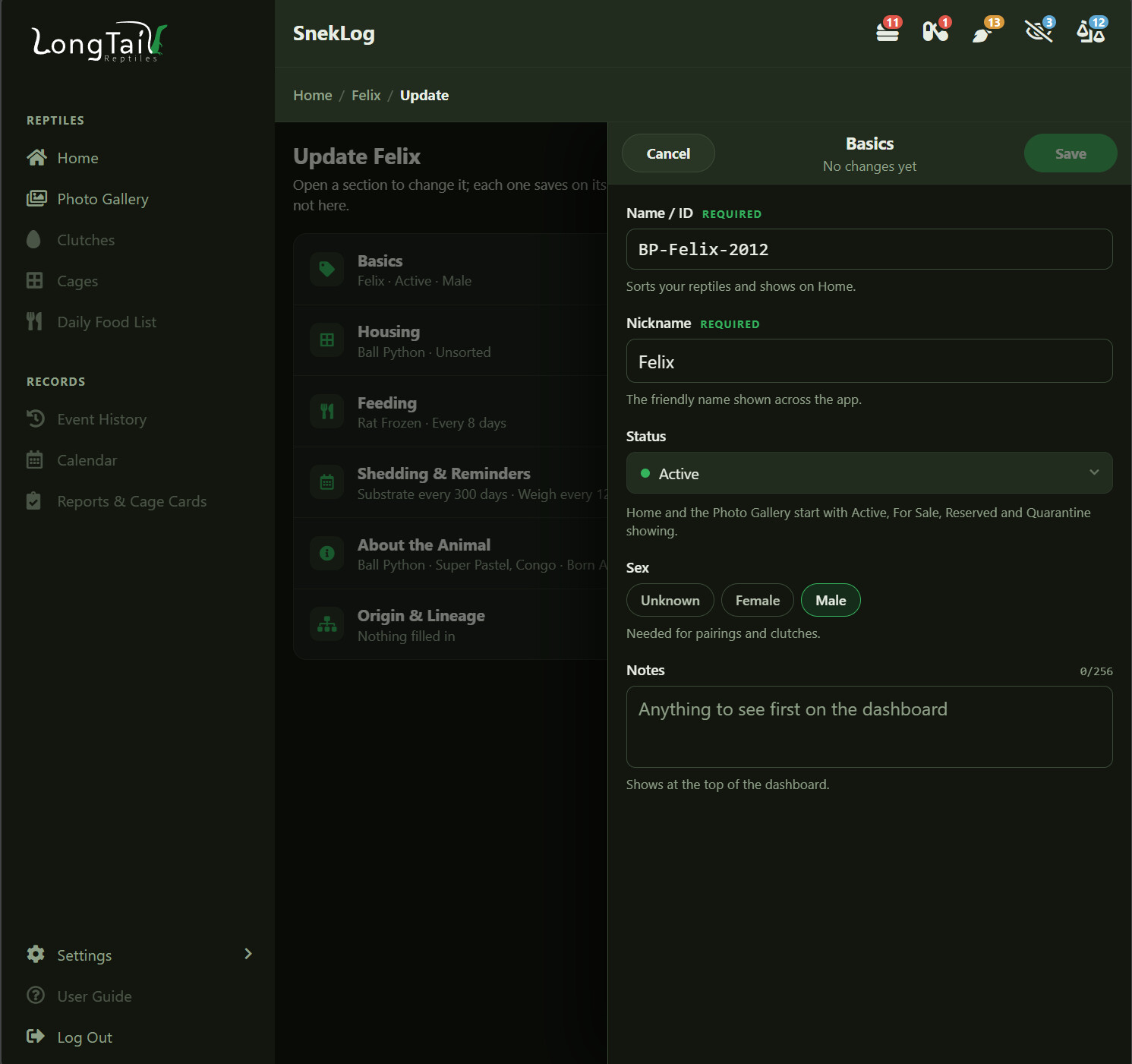
Clone is still there and works the way it always did. Delete Reptile is now built too, behind a confirmation. If the animal you're deleting is listed as a parent somewhere, the offspring and clutches keep its name so you don't lose that history.
One small thing I'm happy about: the starting weight and length you type in when adding an animal are now saved as that animal's first weigh-in. In the old app those were just numbers on the reptile record, so a brand new animal had an empty growth chart even though you'd already told it what it weighed.
The "+" Button
The "+" button has moved to the bottom right corner of every page and it floats there while you scroll. On a computer it's a pill that still says what it does ("Add New" on the Home screen, "More Actions" on a reptile), and on a phone it's a big round button that's actually reachable with your thumb.
Shed Estimates
This one I'm genuinely pleased with.
The old app had you type in a "days between shed cycles" number and counted down from your last shed. That works right up until the animal doesn't read the manual. I pulled my own logged shed history to see how good that approach actually was, and it was not great: 858 completed sheds across 62 animals, and a single fixed number per animal misses the real shed by about two weeks.
So SnekLog works it out from the animal's own history instead. It takes the median of that reptile's last 5 completed cycles, which in my testing lands within 10 days about 57% of the time. Not perfect, but a lot better, and it follows an animal as its cycles change with age instead of sitting on a number you set two years ago and forgot about.
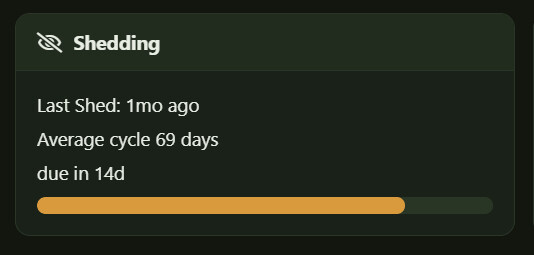
The dashboard's Shedding card now shows the last shed, the average cycle length, the estimated next shed and a progress bar. If a reptile doesn't have enough history yet it just says so rather than making something up. The manual "days between shed cycles" field is gone from the form entirely.
I do want to temper expecations on this and stress that its an estimation, not an alarm. Roughly half of sheds land within 10 days of the estimate. It's there to tell you "keep an eye on her this week", not to tell you exactly what day to expect a shed. Anecdotally however, this week I had to snakes in shed and SnekLog predicted both of their sheds accurate to within 1 day.
Units of Measure
Weight and length entries have never had a unit attached to them. The form just said "use whatever you want, be consistent", and a lot of you were consistent in grams, some in pounds, and a few switched partway through an animal's life when it outgrew grams.
Now each entry stores its own unit, and units are set per animal. My St Bernard King Bumi can live in pounds while my snakes stay in grams. Weight supports g, kg, oz and lb; length supports in, cm and ft.
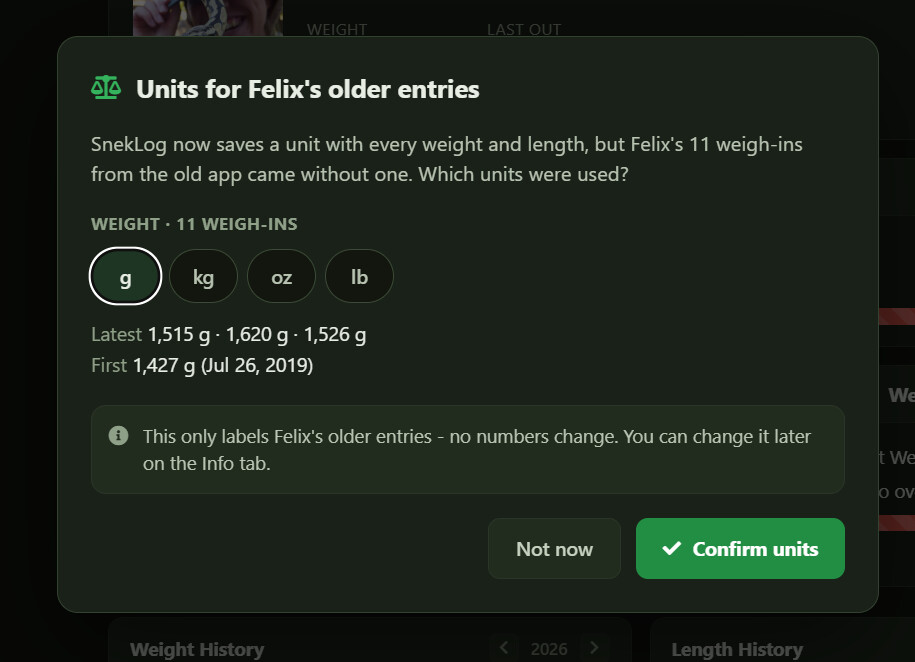
For all your existing entries, SnekLog has no way to know what unit they were in, so it asks. The first time you open an animal with unit-less history you'll get a prompt to confirm what those older entries were, and until you answer, the assumed unit shows with a small marker so you know it's a guess rather than something you told it. Confirming only relabels the entries, it never changes your numbers. There's also a check when you log something wildly different from the last entry, in case you meant kg and typed a gram number.
Food got the same treatment. Food sizes now carry a unit, and the weight on a feeding is the total weight of the meal rather than the weight of one item. If an animal eats three rats they're rarely all the same size, so the total is the number that's actually useful. The history reads "3x Rat Weaned · 135 g" and the form works the total out as you change the count.
Settings
I finished this one this morning, so it's fresh. All seven pages are built: Account, Preferences, Branding & Sales Cards, Events & Categories, Food, Reptile Categories, and Cages & Rooms.
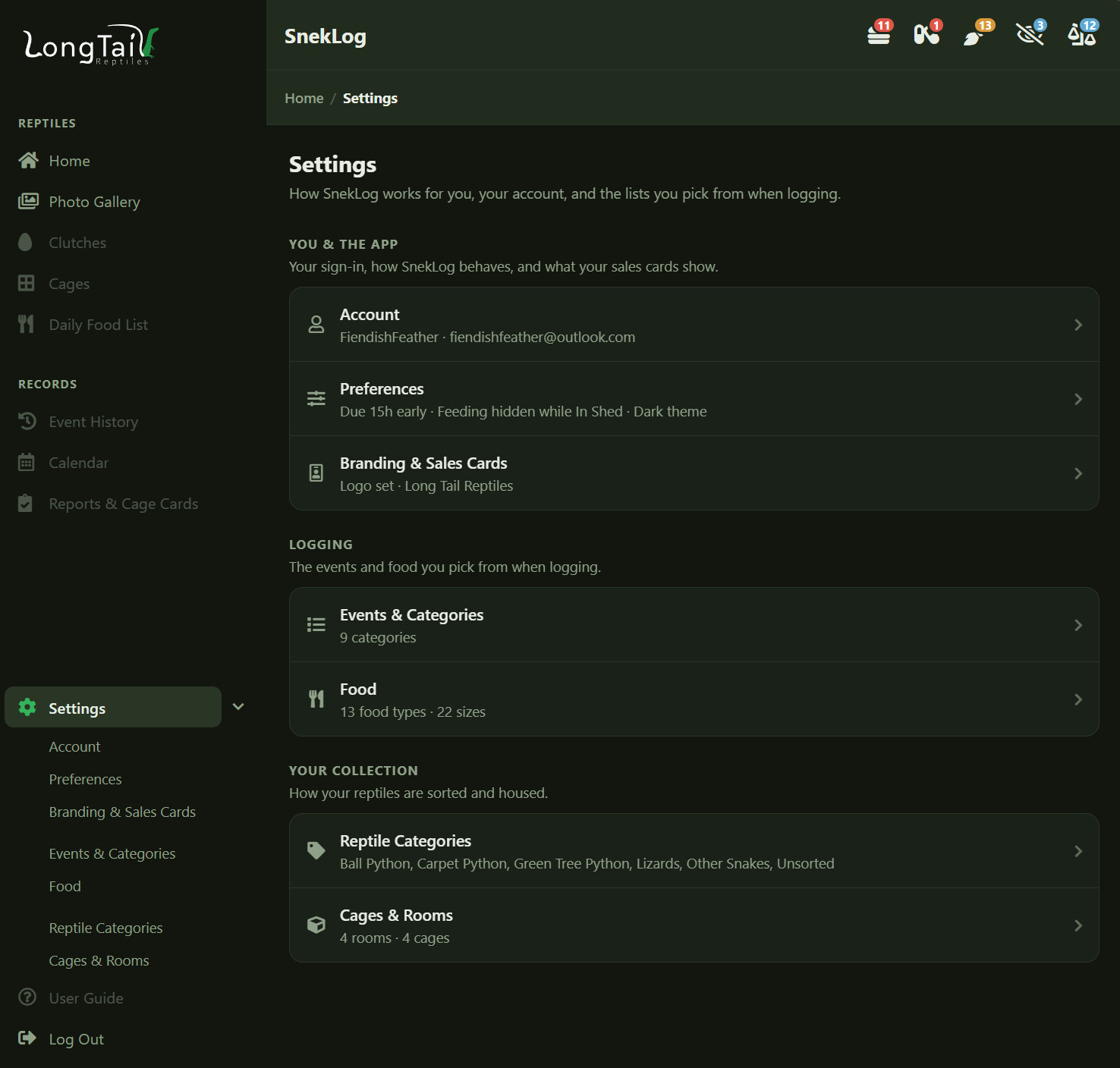
Most of it is a straight rebuild of what you already had, so I'll just call out the parts that changed:
Your reminder windows are back. The old app flagged an animal as needing attention a set number of hours before it was actually due, and only showed the "On Medication" icon for doses coming up in the next month. The rebuilt app had been flagging things only once they were overdue, which wasn't right. Both settings work again.
The Food page finally shows you how food sizes work. SnekLog has always matched sizes to food types by the first word of the type name, and it has never told anyone that. So a size named "Rat Weaned" is offered for "Rat Frozen" and "Rat Live". Now the sizes are grouped under the word they answer to, with a line saying which types will offer them, and anything that isn't offered for anything gets listed on its own so you can fix it.
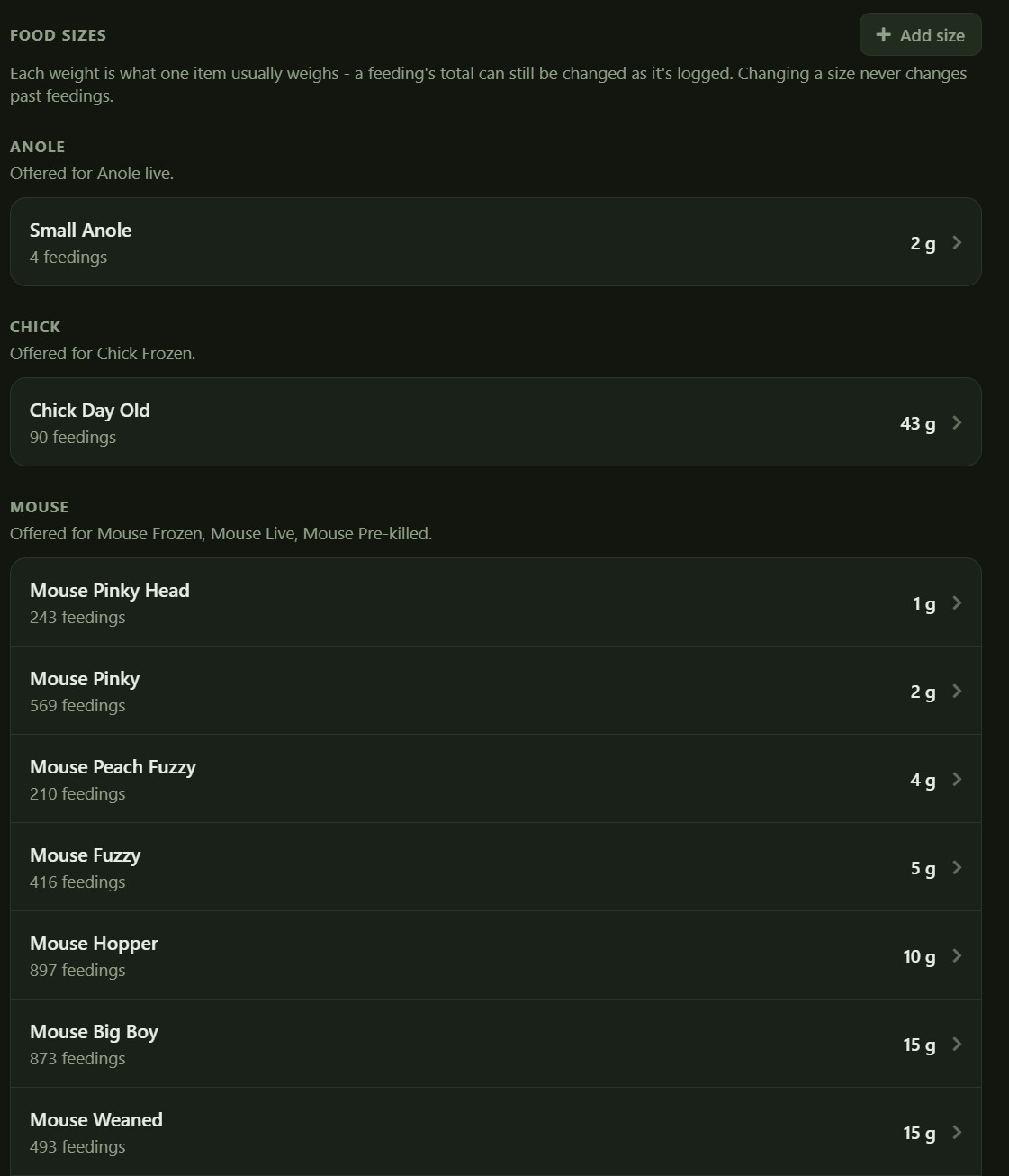
Friendly notes instead of rules. If a food size's weight doesn't seem to match its name, you get a small note ("3 g is light for a rabbit, if it's 3 kg you can switch the unit") and nothing else happens. It doesn't block you and it doesn't change anything. Everyone tracks their collection a little differently and I'd rather point something out than decide I know better.
Deletes that destroy events make you work for it. Deleting a food type or an event category takes every event logged under it with it, so those make you type the name to confirm. Deleting a cage, room or reptile category doesn't lose anything, it just moves what was inside to "Unsorted", so those are ordinary confirmations.
Small Fixes
One worth mentioning: dates like birthdays and date acquired were showing a day early depending on your time zone. That's fixed everywhere those dates appear.
What's Next
Reports are next on the list, which will bring back sales cards, the food list and the PDF reports.
This was a big week and things are moving faster than I expected now that most of the shared building blocks exist. Still a way to go, but it's starting to feel like an actual app rather than a pile of parts.
As always, thanks for using SnekLog! TJ