
The new SnekLog is ready for you to try!
Since August I've been rebuilding SnekLog from the ground up, and it's finally at the point where I want more eyes on it than just mine (and my spouse's). As of today the beta is open to every existing SnekLog user at beta.sneklog.com.
I'll start with the beta since it's the important part, and then cover everything that's been added since the last update.
The Beta
Signing In
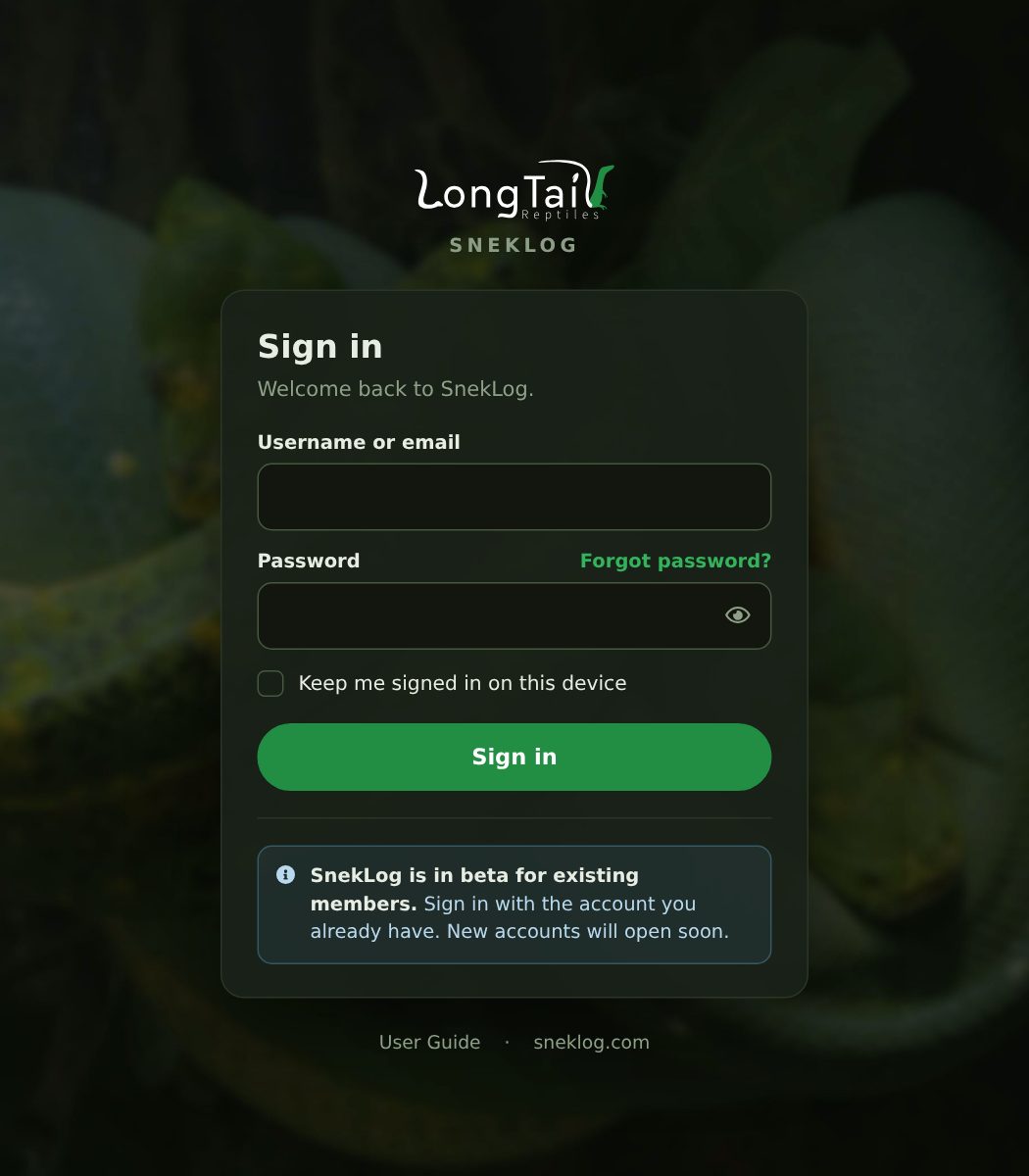
Sign in with the same username (or email) and password you use today. The first time you sign in, the new app will ask you to confirm your email address. Legacy SnekLog never checked anyone's address, and the new app uses email for things like password resets and reports, so I want to make sure it actually reaches you. This will be a one-time thing once the new app is finished, but you might be required to do it a few times during the beta phase as the database is reset.
The confirmation email comes from [email protected], and since it's a brand new address it has a habit of landing in spam or junk. If it isn't in your inbox after a few minutes, check there.
There's also a "Keep me signed in" box now, which keeps you signed in on that device for 30 days instead of just the day.
For now the beta is only open to existing members, so new sign-ups are paused until the new app launches for real.
Your Data in the Beta
This is the most important part, so please read it:
Anything you log in the beta will be reset. The beta started with a copy of everyone's data and photos, and while development continues I'll be resetting it back to a fresh copy several times. Nothing you add or change in the beta carries over, and nothing makes its way back to the current app either. Please keep logging your animals in the current app at app.sneklog.com.
The same goes for your account. Changing your password in the beta doesn't change it in the current app, and after a reset it goes back to what it was.
The beta is a place to kick the tires, not a place to keep your records. Yet.
Feedback
This is what the beta is really for. There's a small "Feedback" tab on the right edge of every page, and "Send Feedback" in the menu, that sends a message straight to me.
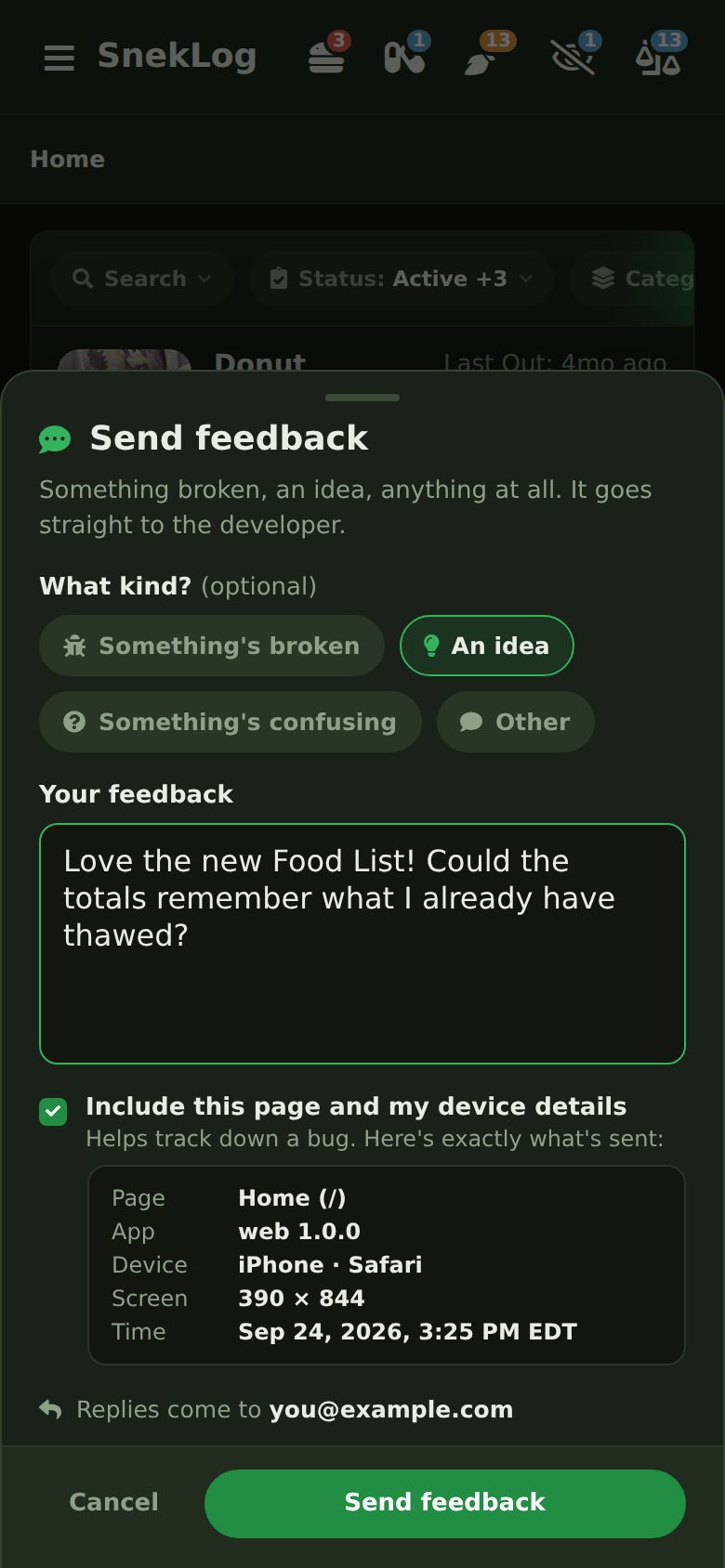
You can tell it what kind of feedback it is (something's broken, an idea, something's confusing), and it offers to include the page you were on and what device you're using, which makes tracking down a bug a lot easier. It shows you exactly what it'll send before you send it. If I need to follow up, the reply comes to your email.
Something broken, something confusing, an idea, or just "this is great". All of it helps.
What's Not There Yet
A few things in the menu are greyed out because they aren't built yet: Clutches, the Calendar, Cage Cards and the new User Guide. They're coming, and until then the current app still has all of them.
The beta works in the browser on your phone as well as your computer. The iOS and Android apps come after the new web app launches.
Reports
"Reports & Cage Cards" in the menu is now a real screen. You pick your animals once (filter by status, category, cage or room, or search for them), tick what you want, and then pick what to make from them. Switching between Certificates and Reports keeps what you've picked, so you don't have to pick them all over again.
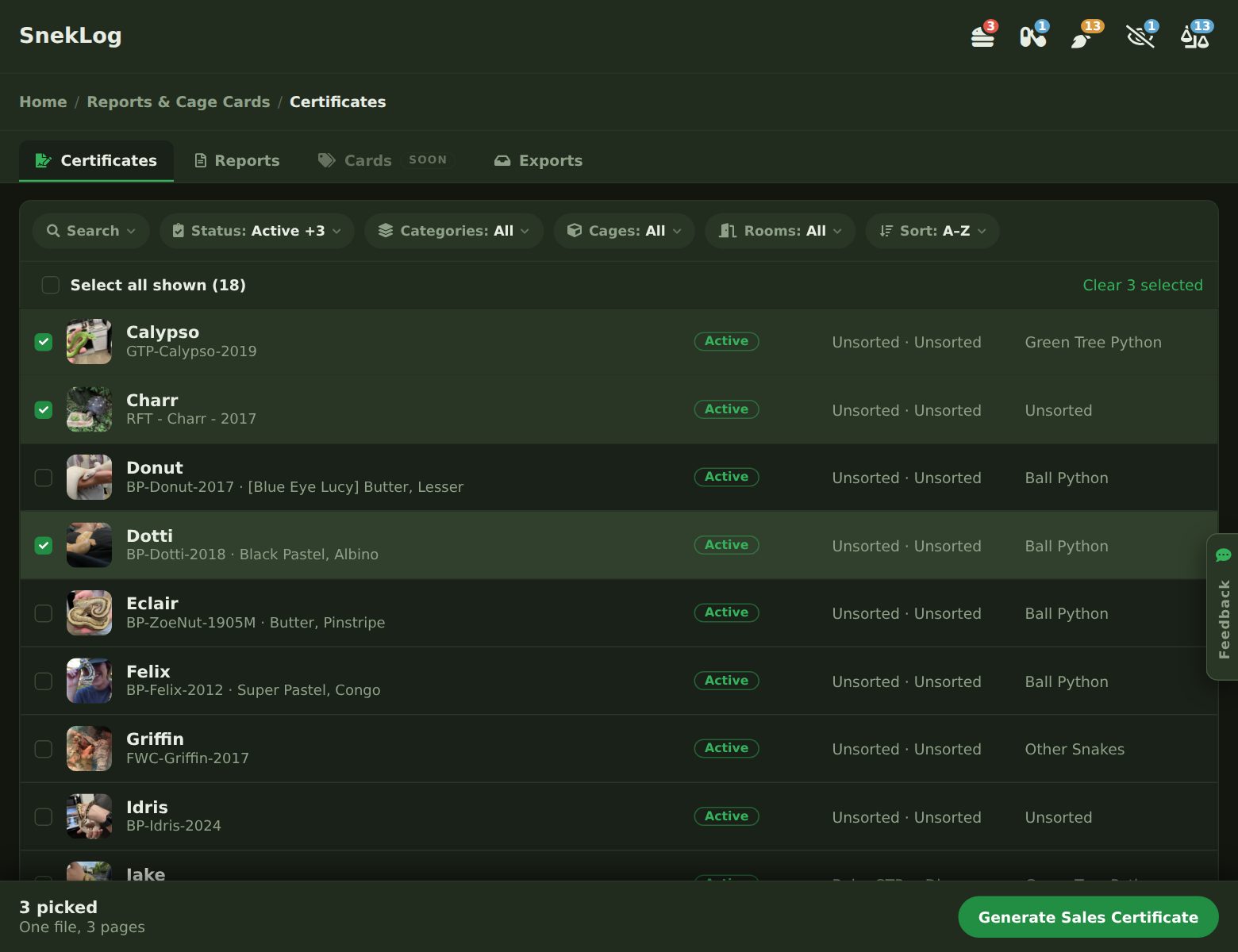
Sales Certificates come out one page per animal, every time, using the logo and details from Settings > Branding & Sales Cards.
The Animal Report replaces the old "Reptile Report". And yes, the name changed because my St Bernard King Bumi is in SnekLog, and handing a vet a "Reptile Report" for a dog felt wrong.
The old report printed every event an animal ever had, which for a well-kept animal could run dozens of pages. The new one keeps what actually matters in full (medications, weights, matings and notes) and trims the routine stuff: feedings, cleanings and the like to the last 12 months, and sheds to the last 2 years. Donut's report went from 28 pages in the old app to 5. If you need everything, like when an animal is going to a new home, there's an "Include the full history" switch.
Big exports run in the background. A few animals download right away. A whole collection can run to hundreds of pages, so those get built in the background and SnekLog emails you a link when it's ready. They also show up on the Exports tab. That email comes from [email protected], so it may land in spam too.
Select & Log
The old app's Cages page had "Quick Feed All" and "Quick Clean All" buttons for each cage. They were all or nothing, so one animal that didn't eat meant you couldn't use them.
Select & Log replaces it. Tap the "+" button on Home and pick "Select & Log", then tick the animals you want. You can tick them one at a time, or group the list by cage or room and tick a whole cage at once.
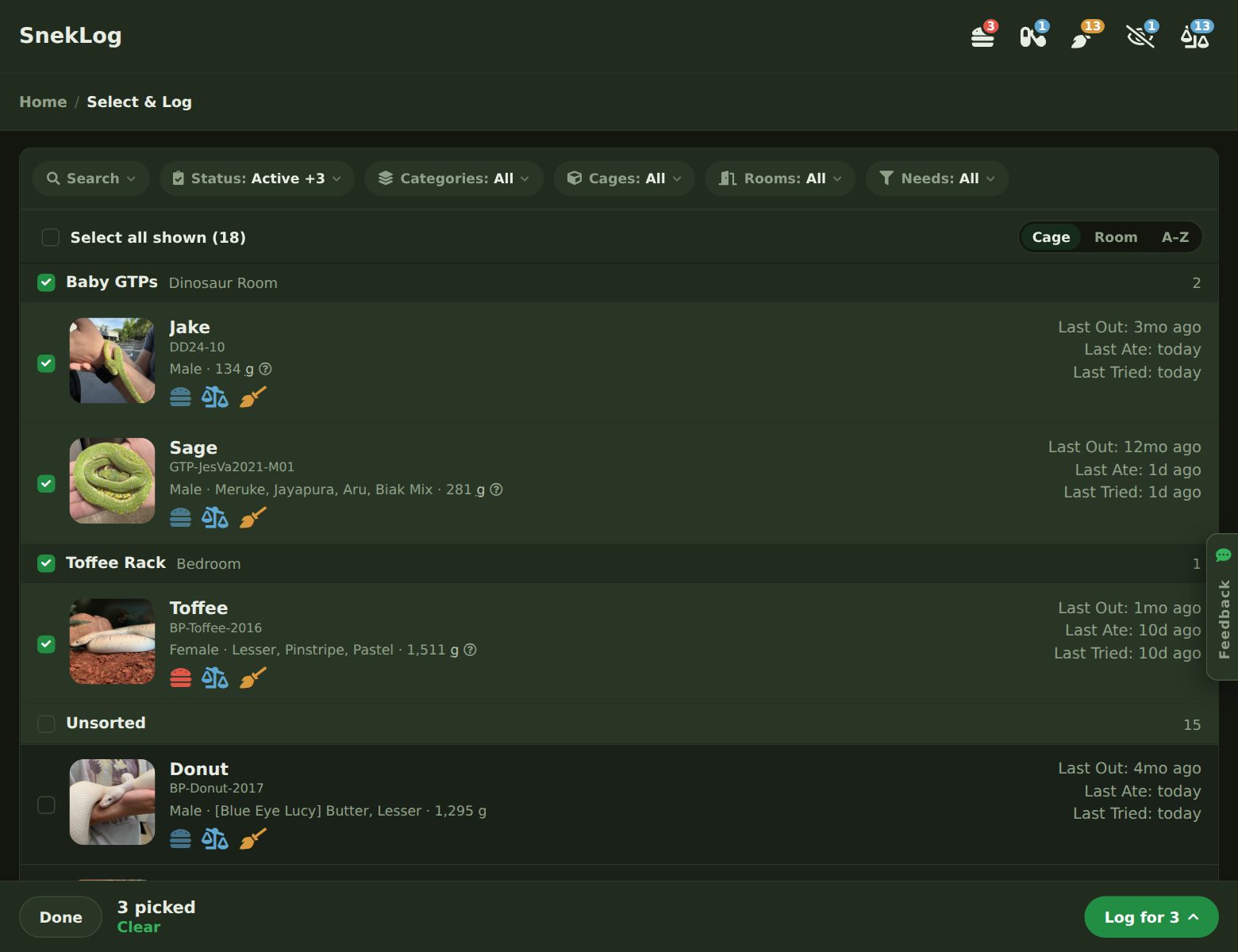
Then choose what to log: a Quick Feed, any of your cleaning types, or a weigh-in. Before anything is saved you get a check list. For a feeding, every animal gets Ate, Refused or Skip, and you can change the meal for just this once. For a weigh-in, every animal gets its own box in its own unit.
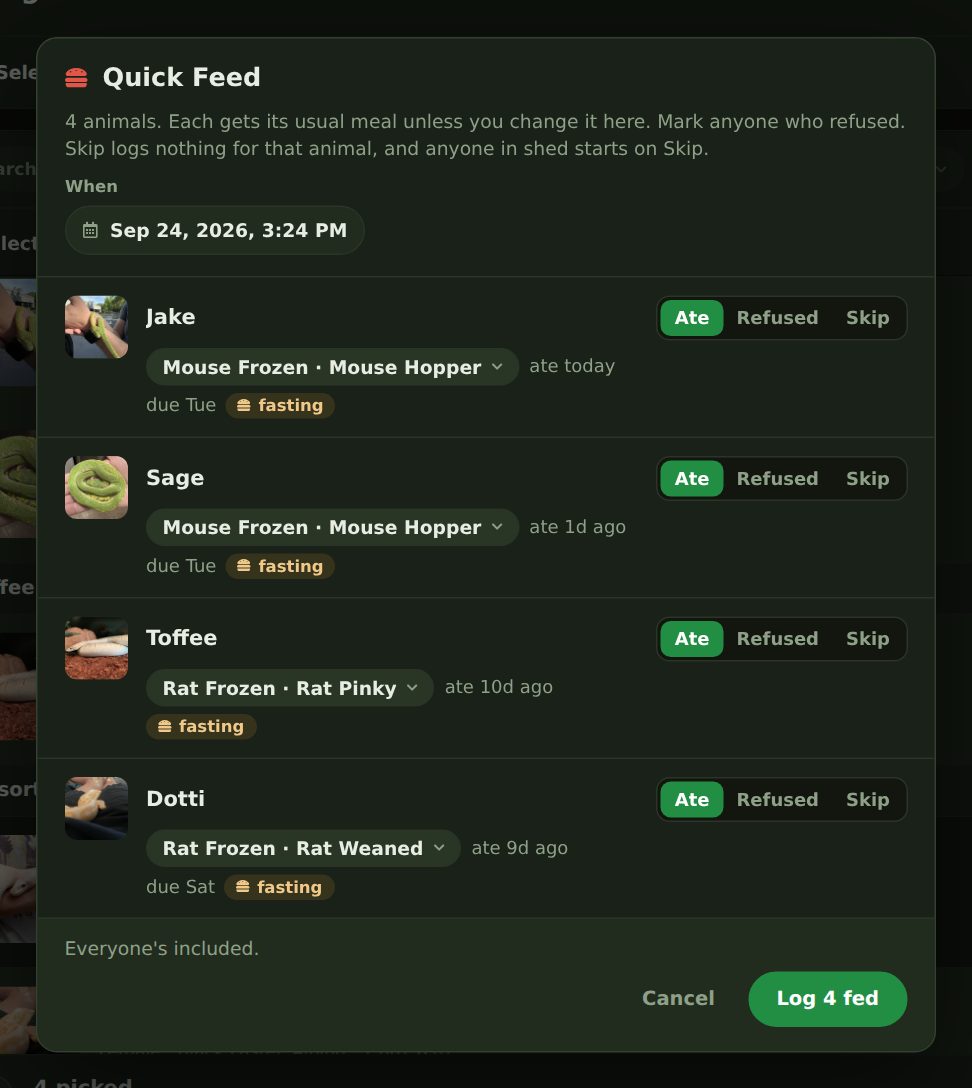
After you log, the bar at the bottom offers an Undo until you're done, and what you ticked stays ticked, so you can feed a rack and then clean it. Honestly it's a huge improvement over the old Cages page.
Daily Food List
The Food List has been around since 2020, but it has been completely rebuilt. My spouse and I went through five versions of this one before it was right.
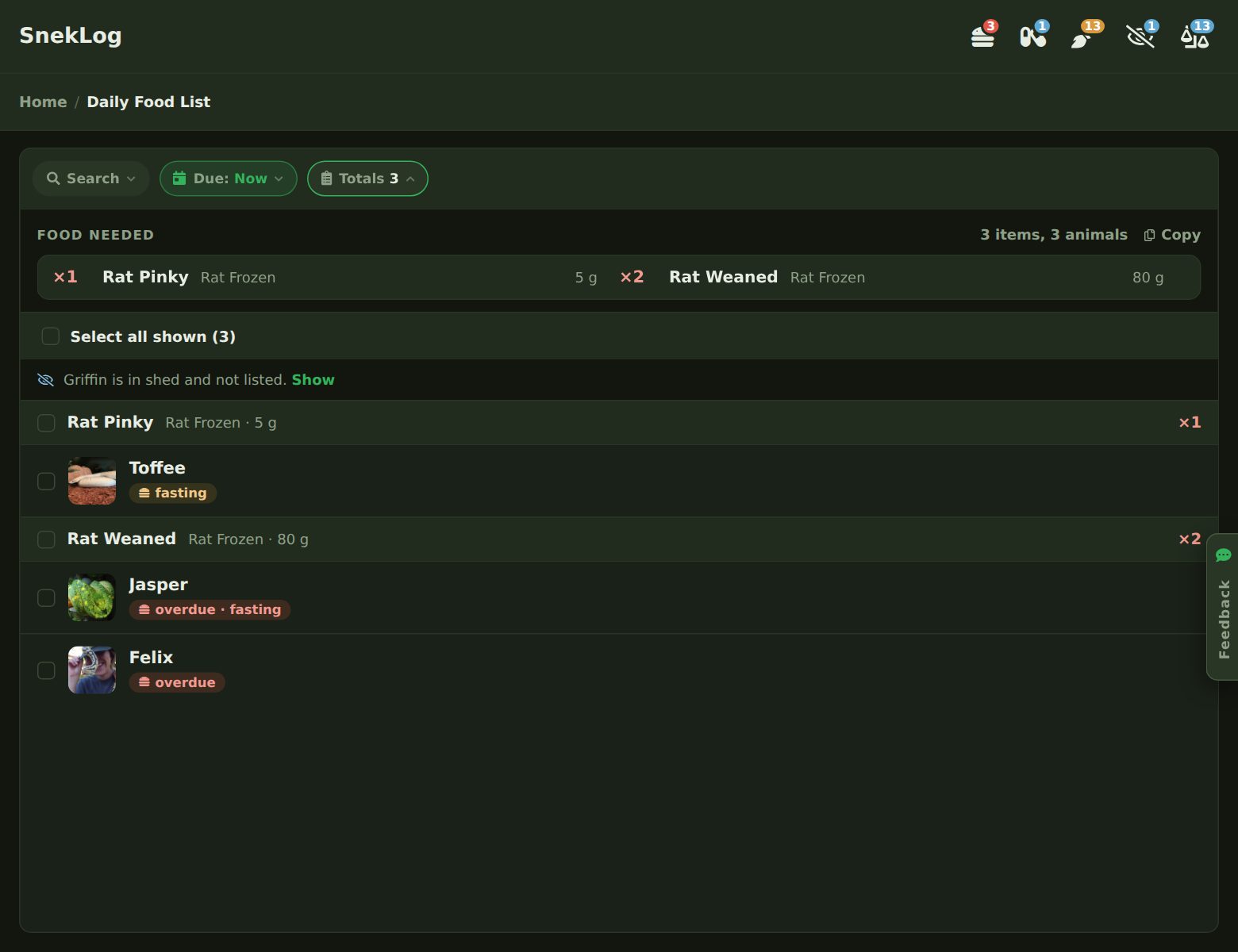
Animals are grouped by the food itself, type and size, each with a total. The "Totals" button at the top shows the whole list at once for pulling feeders out of the freezer or making a shopping list, and there's a Copy button for the latter. You can look at who's due now, by tomorrow, or over the next 7 days if you thaw ahead.
Tick who you fed and log them right there with the same check list as Select & Log. Small icons show who's overdue, fasting, in shed, or due for medication. The overdue icon shows up as soon as a feeding is past due, so an animal you pushed on purpose stands out from one that's due today.
Medication given with a meal. A lot of us give meds in the food, so an animal with a dose due gets a panel under its row to log the dose along with the feeding. It's never ticked for you. You have to say you gave it. If the meal is refused, the dose stays due.
One more thing: animals with no usual meal set now show up in their own group. The old list quietly left them off.
Event History
The old Event History was a read-only table that showed the last 7 days. The new one shows every event you've ever logged, newest first.
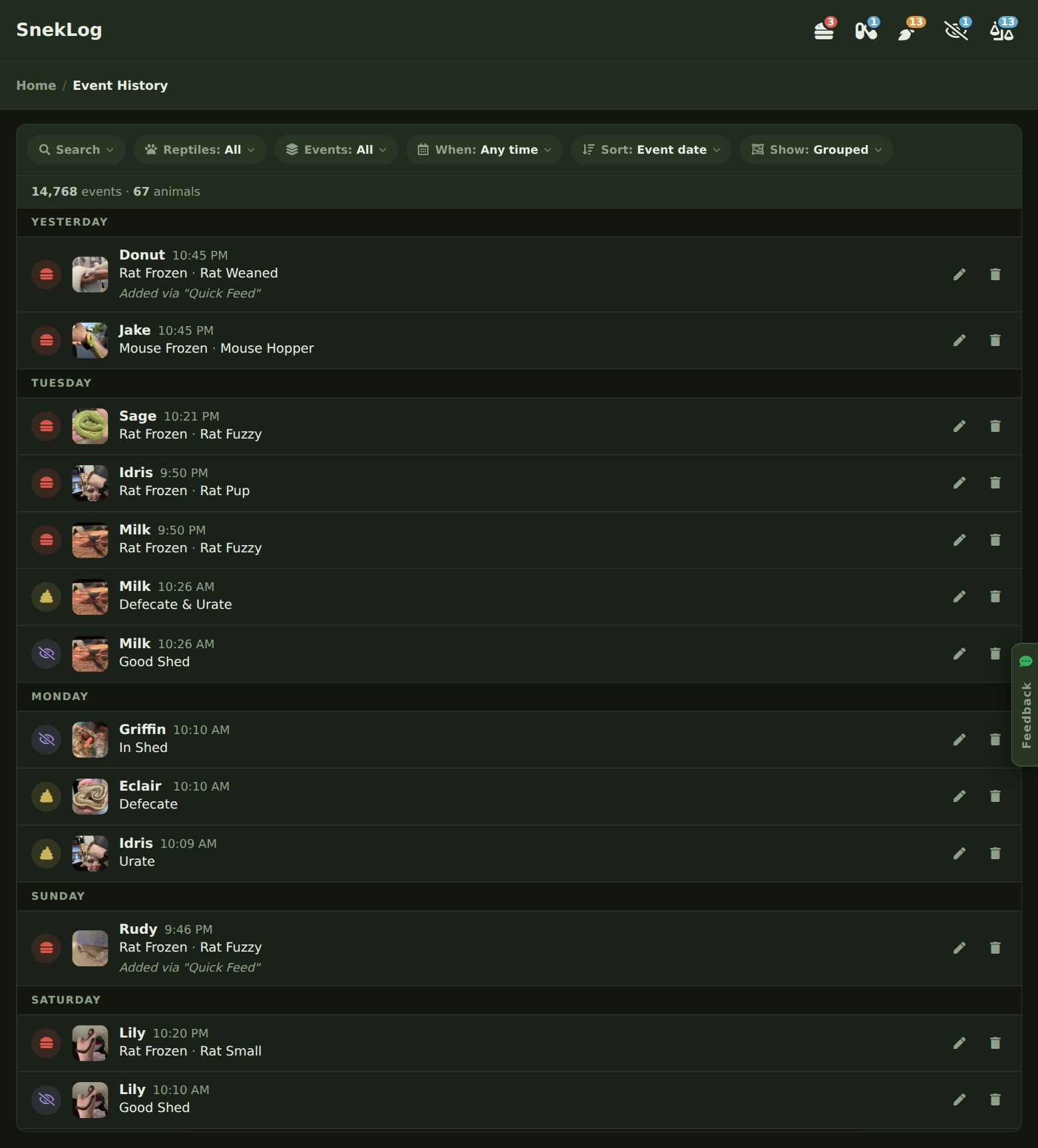
- Filter by animals, event types and dates, and sort by when something happened or when it was logged.
- Search reads your notes too. Searching "Panacur" finds the doses and the feedings you noted "spiked with Panacur".
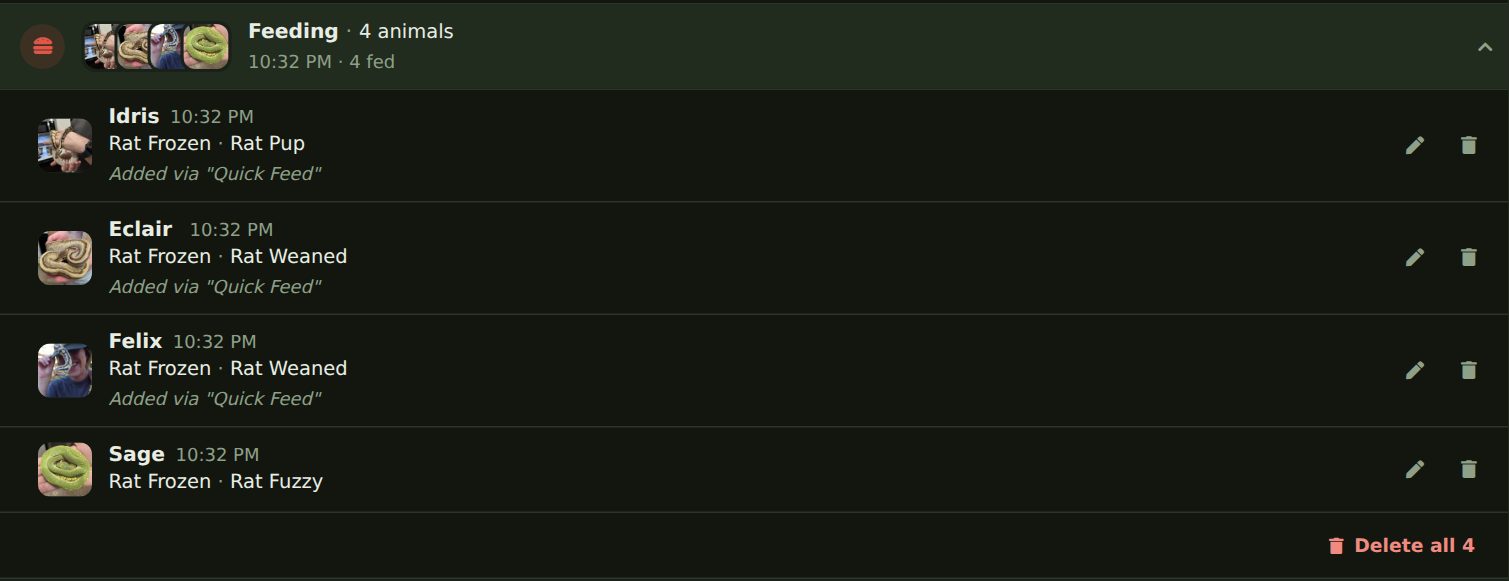
- Events logged together are grouped. A rack feeding shows up as one row you can open, with a "Delete all" for cleaning up a batch logged by mistake.
- Edit any event and come right back to where you were.
Smaller Things
- Cleaning reminders: in the old app, only "Full Substrate Change" reset an animal's cleaning reminder. Now any of your own cleaning types can, with a switch in Settings > Events & Categories.
- Search: Home, the Photo Gallery and Reports share the same filters now, with a Search button that finds animals by nickname, record ID or morph. Record IDs are handy here, since a clutch shares a prefix and searching it finds the whole litter. Home also gets a Rooms filter.
- Overdue by the hour: a feeding that was due last night now says "10h overdue" instead of "due today".
- Password resets: the reset link now works once, for an hour.
- Announcements: messages like the beta notice you'll see on Home can now be written right in the app, which replaces the old message of the day.
What's Next
Cage Cards are next up, with the QR codes and "Quick Actions" I mentioned last time, followed by Clutches and the Calendar. Beyond that, your feedback is going to decide a lot of what comes next.
This has been a fun one to build and I cannot wait to hear what you all think.
As always, thanks for using SnekLog!
TJ