This is the last update before the new SnekLog takes over from the current one. The Deep Dive from a couple of weeks ago went through what the new app can do, so this one covers what's happened since: a final launch date, a new User Guide, a new look for this site, and two weeks of bug fixing and polish.
Go Live: Wednesday, October 28
The move is planned for Wednesday, October 28. What that day looks like:
- The current app at app.sneklog.com goes offline for a few hours while the final copy of everyone's records and photos is moved over from Linode to AWS.
- When it comes back, app.sneklog.com will automatically take you to the new SnekLog
- Sign in with the same username (or email) and password you use today. You'll be asked to confirm your email since the previous version of the app never did. You may also get a popup saying there is now a terms of service and privacy policy to review.
- The terms of service and privacy policy are required for the future App Store releases. Nothing about anything how data is handled (it's not shared at all) is changing.
- If you've been using the Beta, anything logged there will be lost as it has been every beta reset.
I'll put a notice in the current app with the exact time once it's locked in. The iOS and Android apps come after the web app has settled.
The New User Guide
help.sneklog.com is currently being rewritten from scratch, and it will go live with the new app. The old guide was written for the old app, screenshots and all and will be replaced in full.
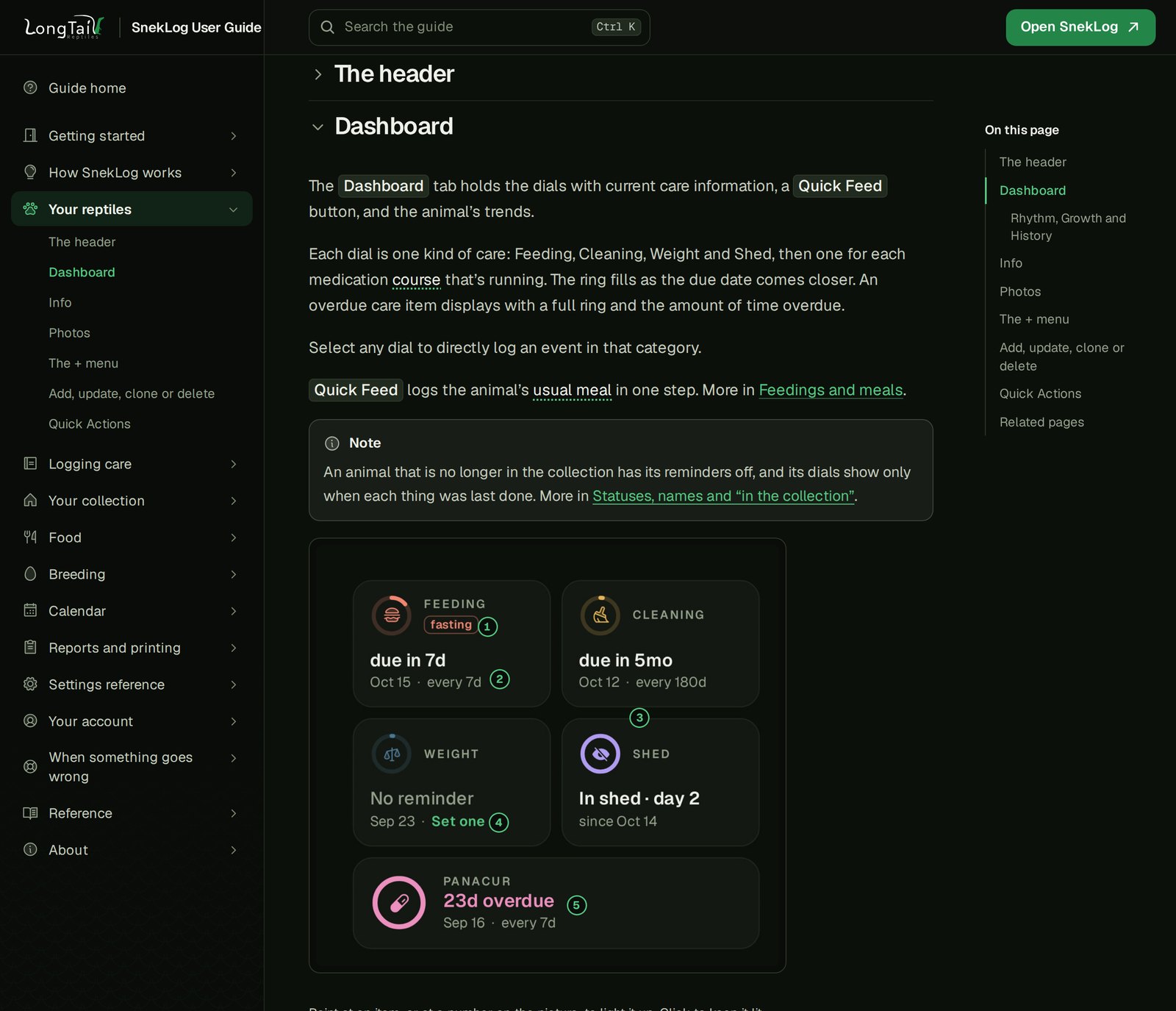
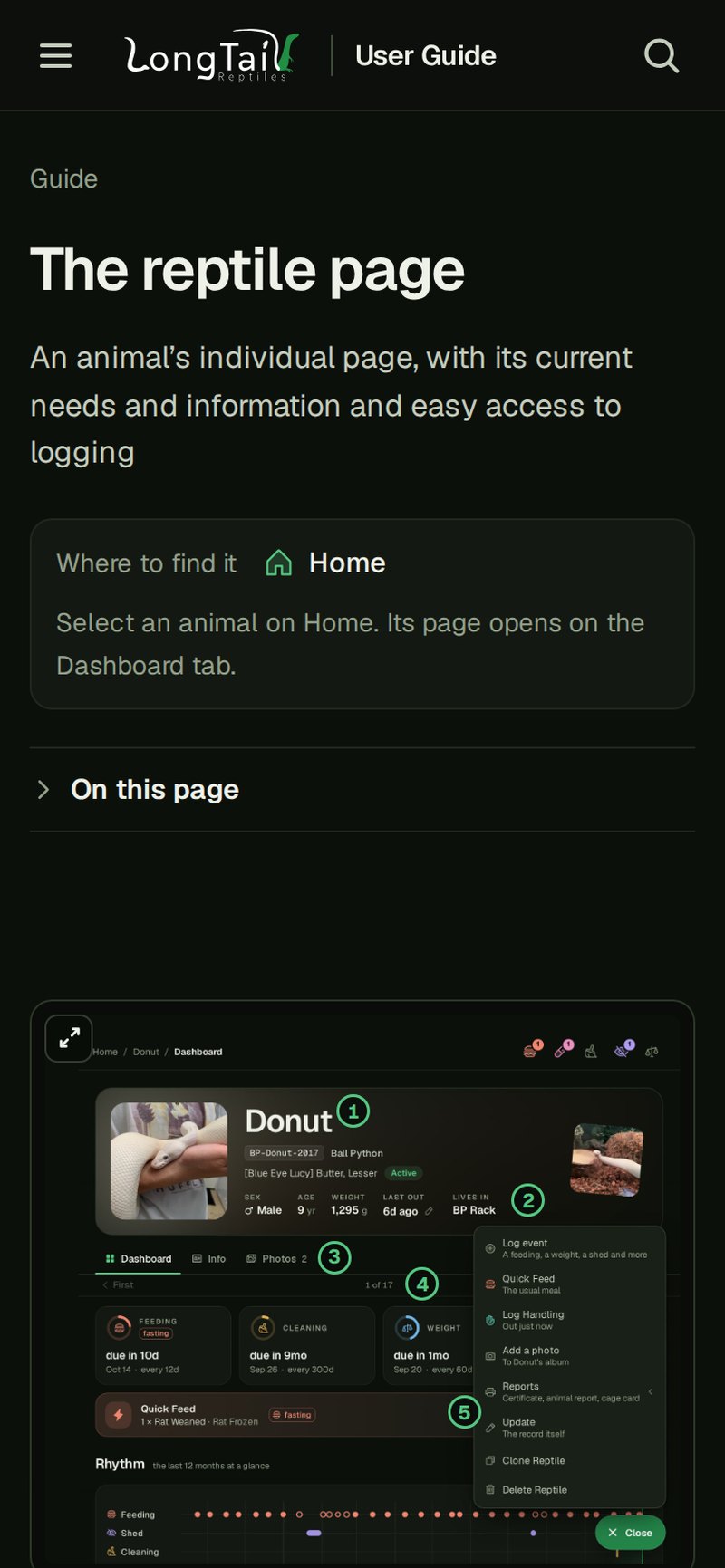
The new user guide will be structured in a similar way the old docs were. Each page has a correlation to a page in the app with sections for specific features. Each section will explain how a feature works or point out "gotchas" and a bunch also come paired with a short video clip so you can see it in action. There's also search box you can use, as well as a dedicated page for people coming from the old app that says what moved where.
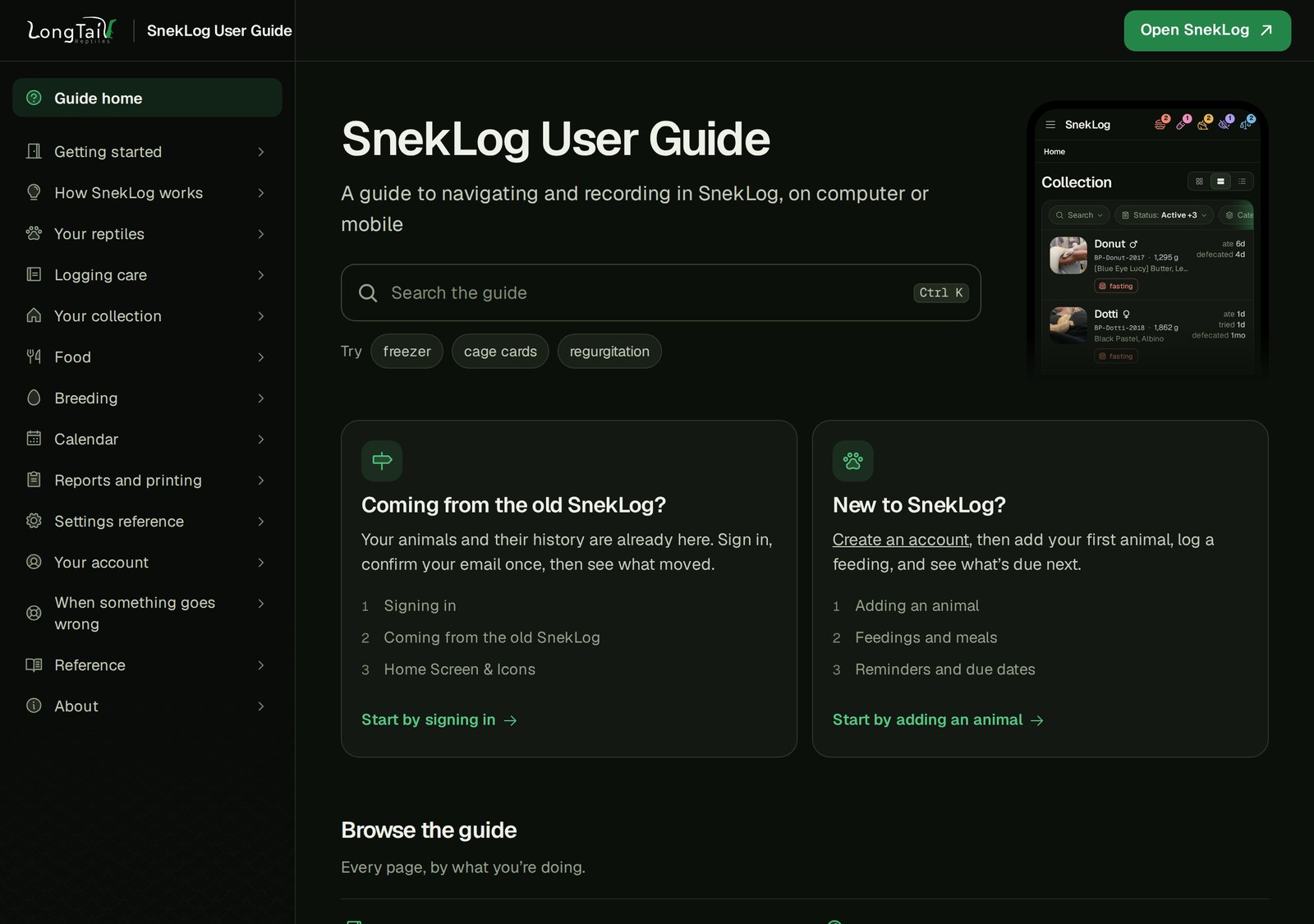
Every picture and clip was taken from my own collection in the new app. My spouse and I are making almost constant modifications to get it just right so it's not too verbose, or too vague.
This Site
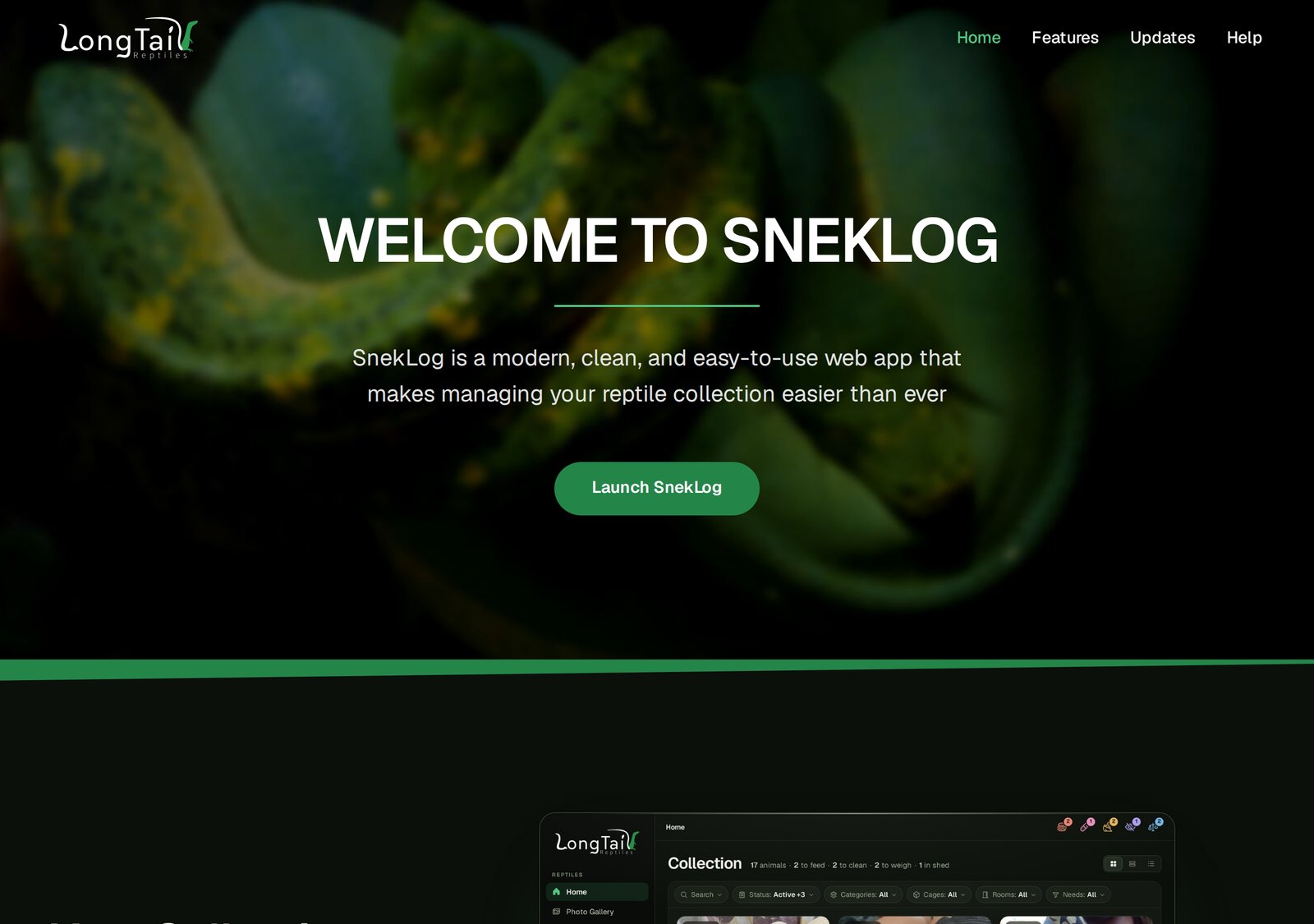
sneklog.com will also be getting a refresh as well with a theme that is inspired by the new UI of the app. It's a bit more flashy than the current version of the site, using short clips to showcase the features instead of bullet points or icons. The updates like this one live where they always have.
The App
The app was feature complete a few days after the Deep Dive. Since then it's mostly been bug fixing and polish, plus two account features required for the move. You may have encountered some these on the Beta, and some are still present as the Beta has not been updated since October 20th. A quick rundown of everything is below if you're into the technical nitty gritty.
Bugs Squashed
The bigger ones:
- Opening a parent from an animal's Info tab could take you on the wrong animal, and the "confirm your units" dialog could pop back up after you'd confirmed it. Both turned out to be the same navigation bug, and both are gone.
- Going Back to an animal's page could land you partway down the page, or at the top of the Photos tab.
- If an animal is on two medication courses at once the dial, the "Still giving X?" note, and the Calendar's Log button could open the wrong course.
- A new animal's first photo never became its primary picture.
- Setting an interval for any recurring event to 0 made an animal always due instead of turning the reminder off. Now you leave it blank to just disable the reminder.
- Changing your password caused the "Keep me signed in" check box to not function properly.
- Hidden categories were never shown on the Animal Report's preview but still printed in the PDF. They're off both now, with an "Include hidden categories" switch if you want them.
- Opening a link to a particular page while signed out, then signing in, dropped you on Home instead of the page you asked for.
- When confirming your Email Address, the link to confirm a changed email address would occasionally say "expired" the first time you clicked it, even though confirmation request was confirmed by the backend server.
- The Daily Food List's "week view" kept a fed animal ticked, so a second Feed could log it twice.
- A few places reloaded the whole app instead of just changing the specific elements on the screen they were supposed to.
- On a mobile device, the bottom few items in the sidebar could hide behind the browser's bottom bar with no way to scroll to them.
- The sitter note on the trip planner was remembered by the browser instead of the account, so two people signing in on one device could see each other's note.
Features Tuned
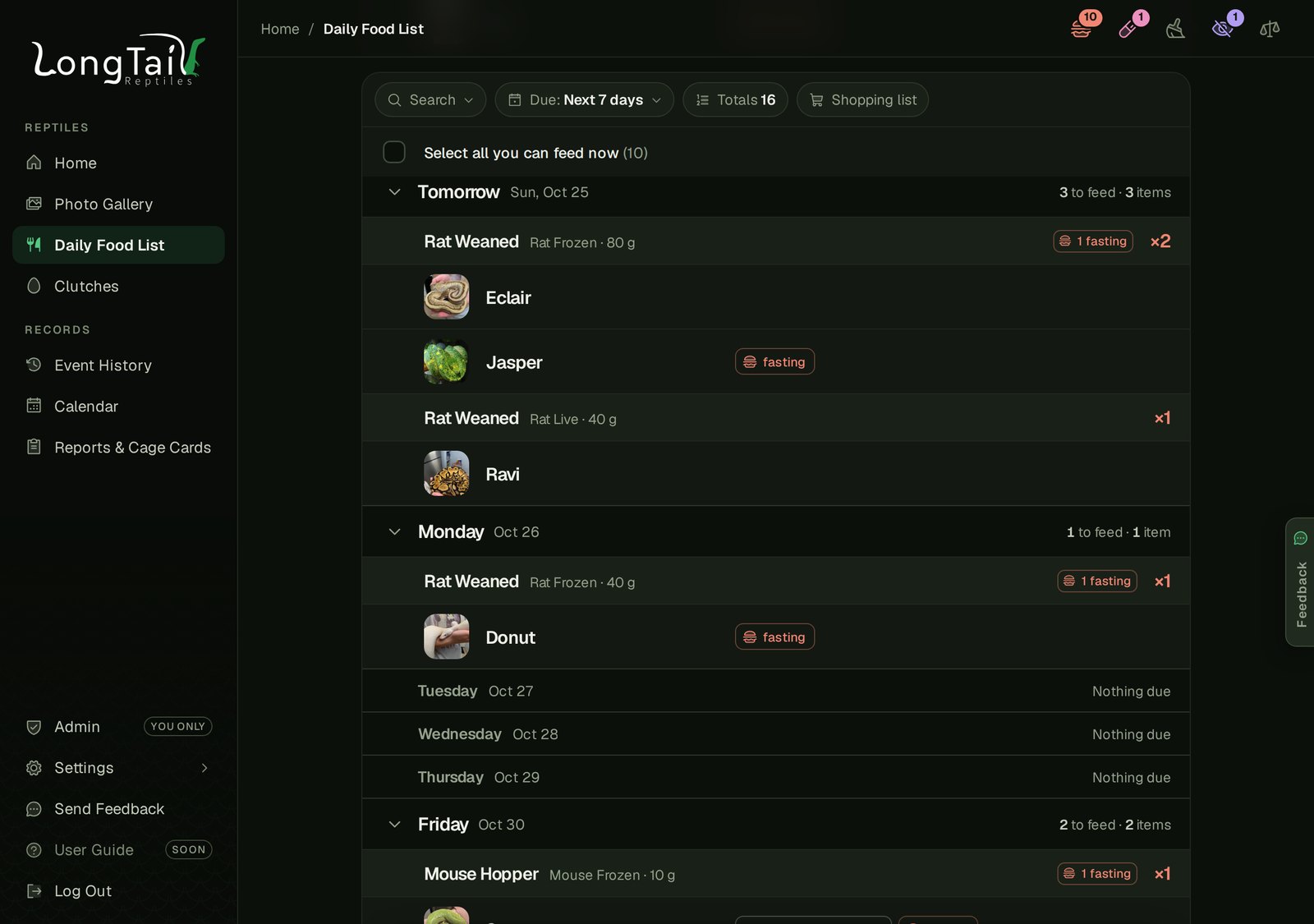
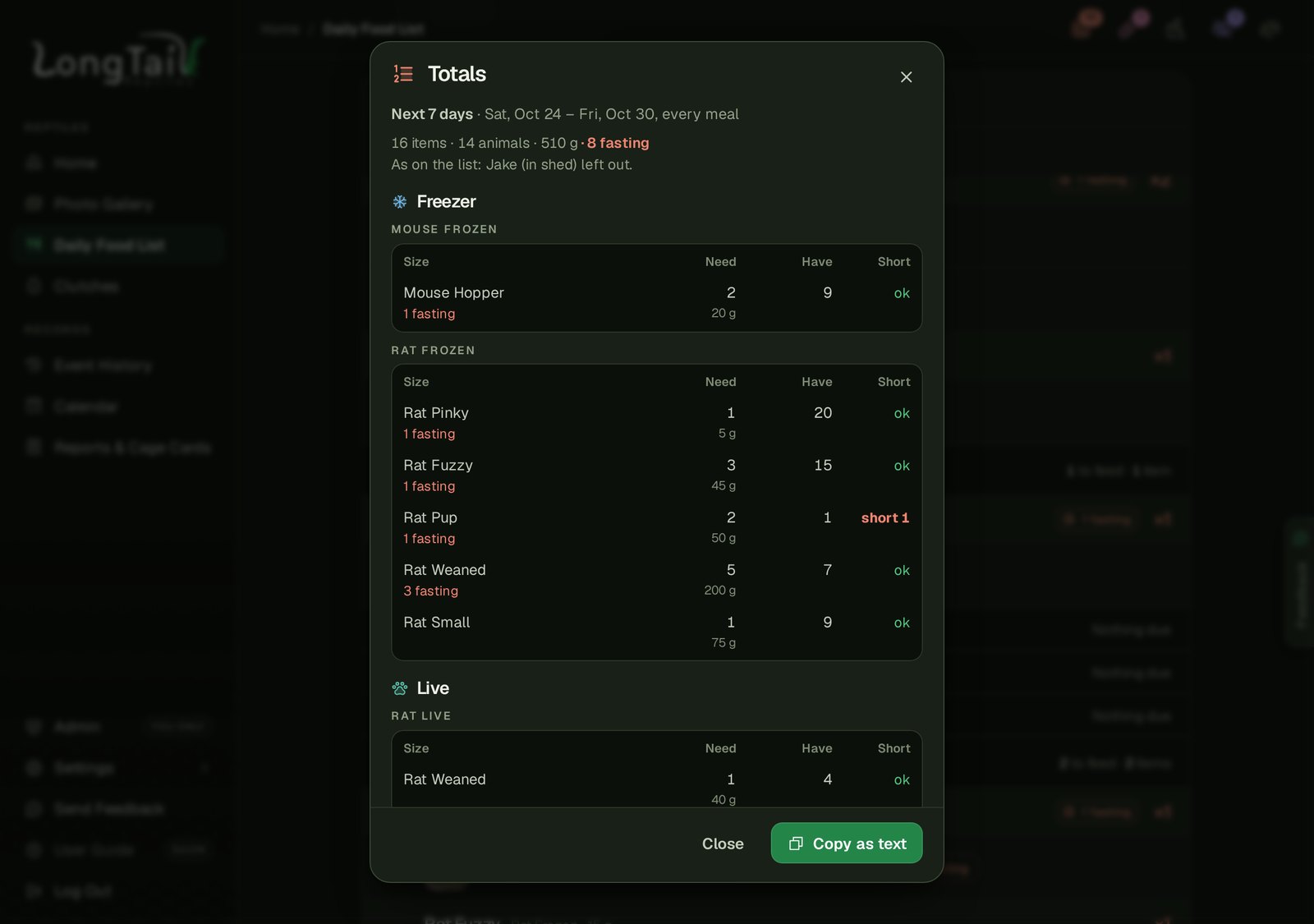
- The Daily Food List's "Totals" is now a sheet laid out like the shopping list. The size, how many you need, how many you have, and how short you are all being individual columns. The freezer and live stock became separate sections of their own so a user with mixed feedings could easily differentiate what to group.
- Also on the Daily Food list Page: The "Next 7 days" view is laid out day by day, so an animal that eats every 5 days shows up twice, and an animal in shed is left out of the totals and named.
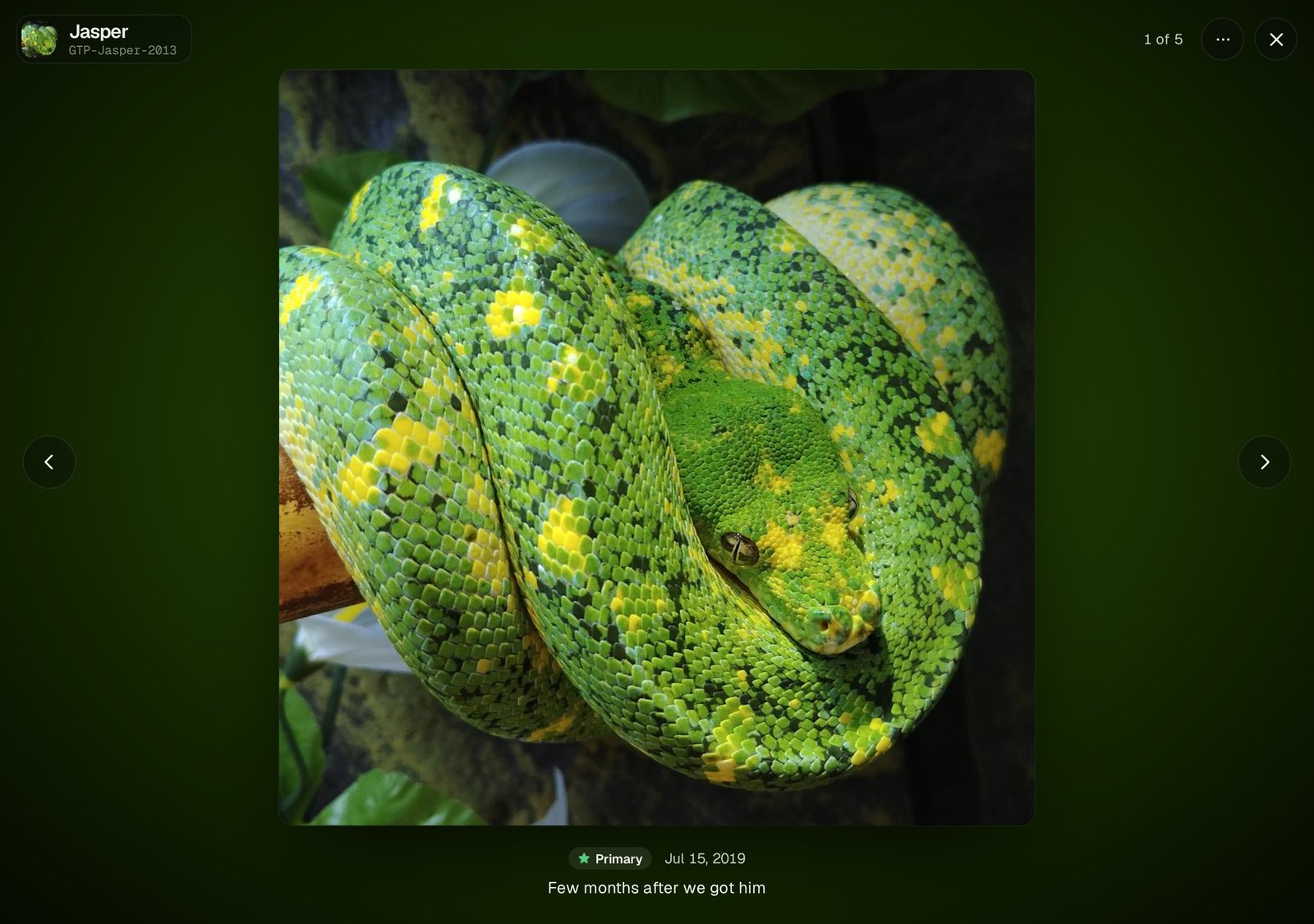
- The photo viewer's background used to be a blurred copy of the photo, and sliding between photos on a big screen felt like the whole room was moving. It's now a soft glow thats dynamic based on colors from your uploaded photo. It still gives an artsy feel, without being overwhelming.
- On a phone, the "sticky" element such as page filters or navigation tabs on the dashboard got reworked several times to become smoother feeling.
- Certificates, the Animal Report, Cage Cards and Exports each have their own URL, so a bookmark, link from the user guide or an email places you on the correct tab.
- An animal with a dose coming up shows the medication and when it's due right on its row on Home and the Food List ("Panacur · 2d"), and the quarantine marker shows how far along it is ("12/30").
- The Shed dial never says "overdue" anymore, since an estimate isn't a "due date". It shows the estimate and the animal's usual cycle and leaves it at that.
- Quick Feed and "Out just now" offer an Undo everywhere in the app. It used to be only appear via "Quick Actions" on the home screen.
- "Refused Feed" and "Regurgitated" can no longer be used as an animal's usual food anymore. About a dozen animals had that set across the entire database, which would have made Quick Feed log a refusal every time, and those will get cleared with the move to the new app.
- The bottom of Settings shows which build of the app you're on, so a bug report can say exactly which version it came from.
Your Data and Your Account
Two things SnekLog never had:
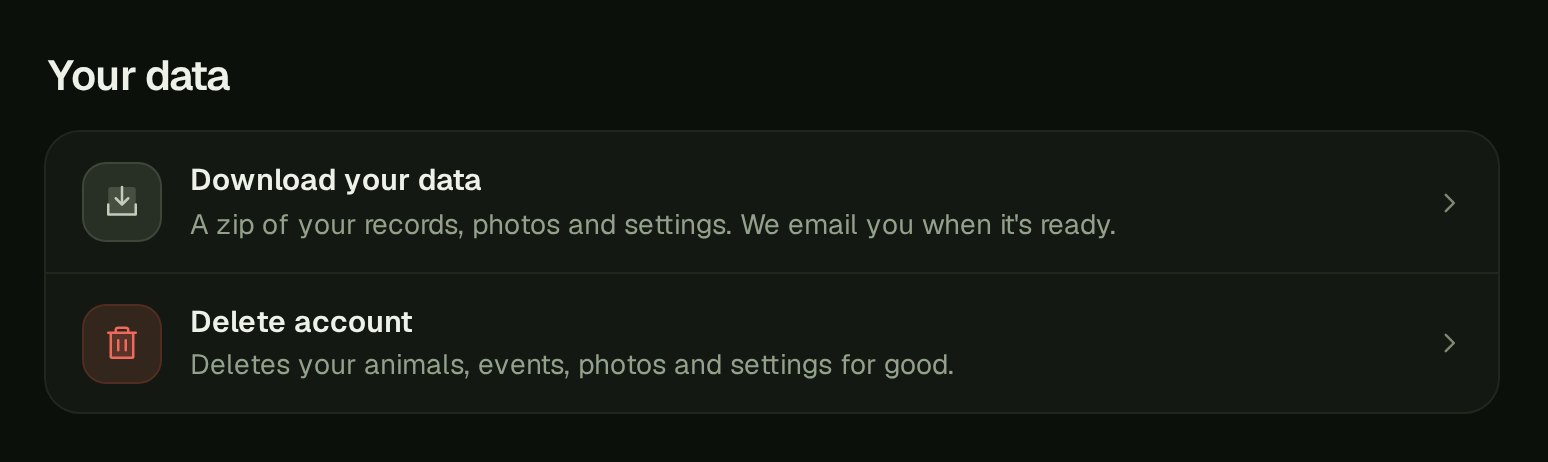
- Download your data. Settings › Account has a button that builds a ZIP of everything in your account: every record as a spreadsheet and as plain data, and every photo at full size. It's built in the background like a big report, and you get an email with a link when it's ready (it shows on the Exports tab too).
- Delete your account. Also in Settings › Account. It asks for your password and your username typed out, offers the download first, and then it's gone for good, records, photos and all. The username is immediately released and available for use by another account registration.
Under the Hood
The code and security review closed a handful of things before sign-ups open again. Limits are placed on sign-in attempts, photo uploads and the spreadsheet bulk imports. This way a single person can't bog the server down for everyone else. Further more, Animal Report with pages of long notes now goes to the background job instead of just timing out with a generic error.
I also updated my automated test suite that walks every screen/page of the app and every API call. It's currently up to almost 500 tests and during the past two weeks that got a major rework to bring the time needed to run these tests from 24 minutes down to about 6. While that's the kind of thing only I care about, it means I can check the whole app after every change.
The Checklist
Before the move I'm doing one last pass by hand. I had a checklist built from the app's automated tests mentioned above and the rules behind each screen/page. There's a total of 105 sections of the app and 1,642 things to check. It's an slow process, but there's only so much trust you can have with automated checks. I'm working through it a screen at a time, and anything that fails, or just feels off, goes on a polish list for one last round.
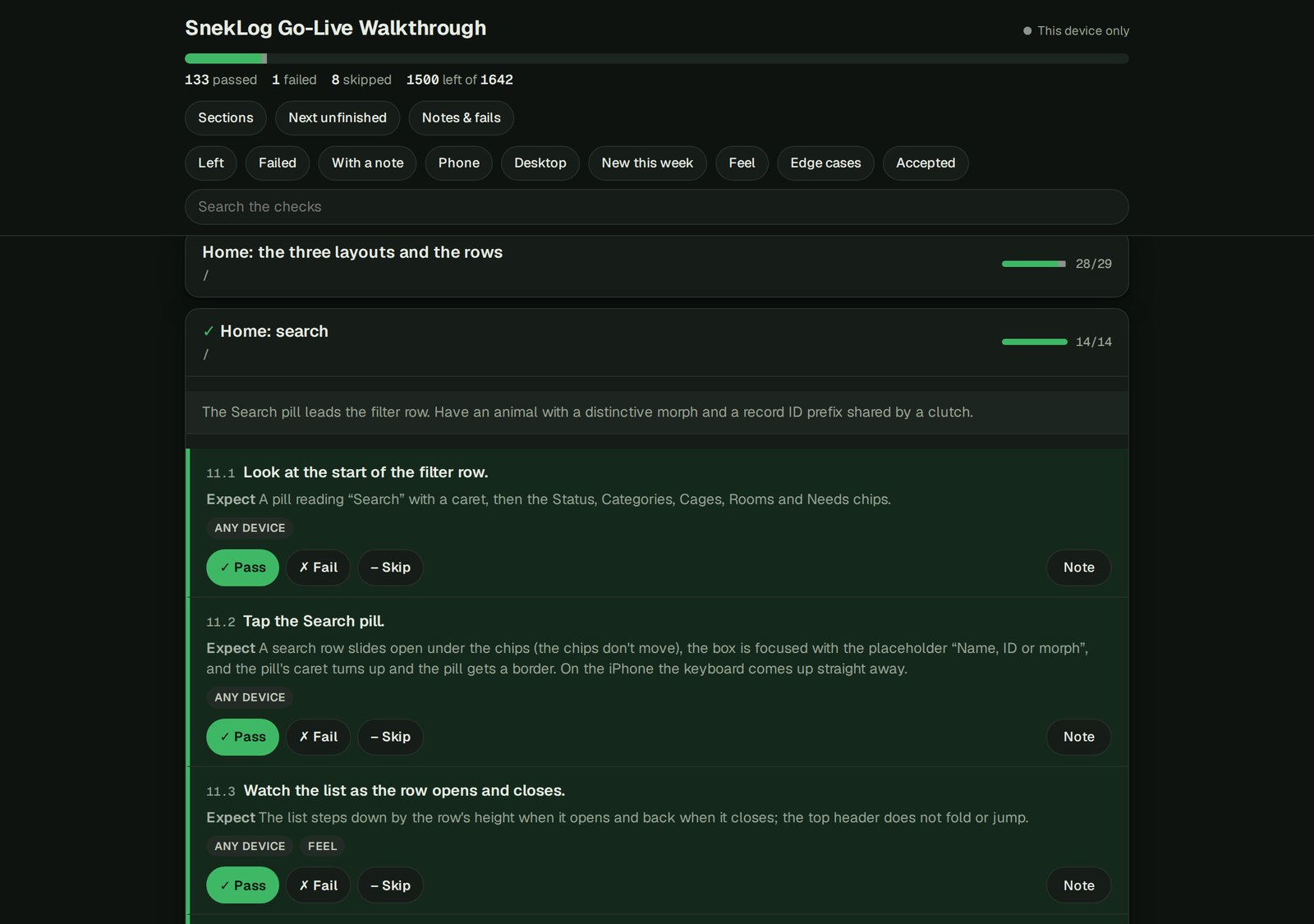
The next thing you hear from me should be the notice in the app with the time the old app is going away for good. I am beyond excited for this to all be near the finish line. It's been on my "todo" list for literally years. I hope you all enjoy using it as much as I have enjoyed working on it and I cannot wait to start getting feedback to make the new version of the app the best it can be.
As always, thanks for using SnekLog! TJ